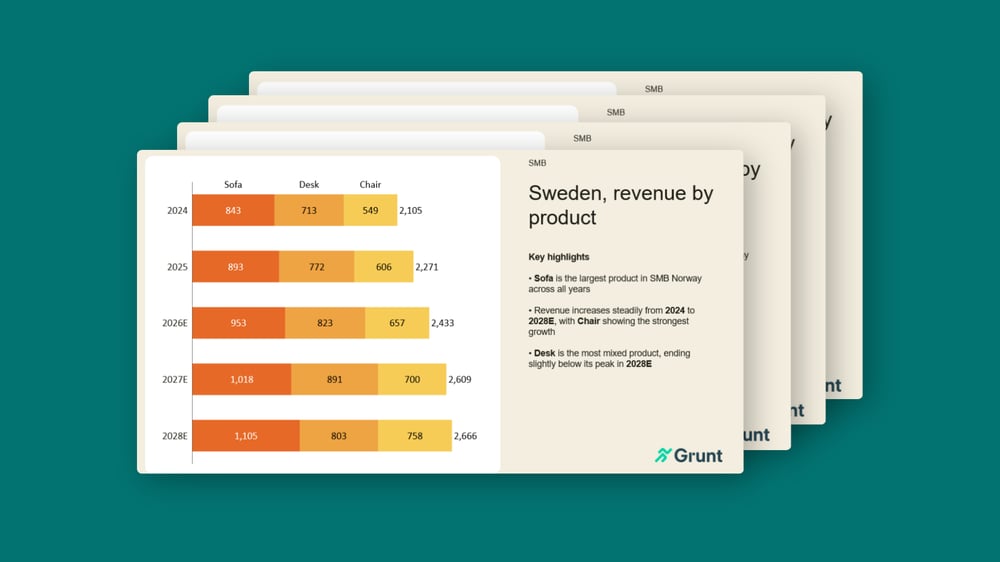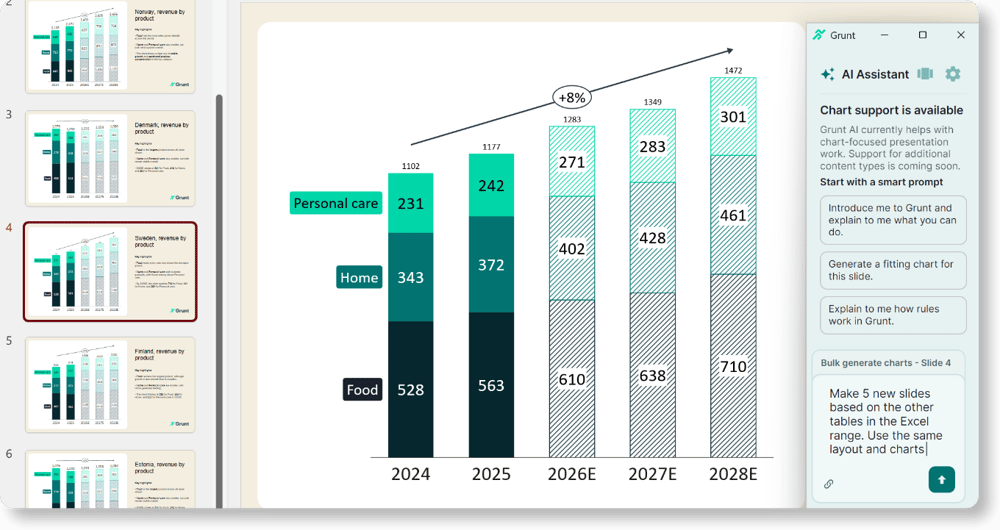

AI slide tools are great at creating first drafts, but business slides require more. Here's why most AI-generated slides fall short when teams need to update, edit, and maintain them over time.
Generative AI has changed how teams create content. In seconds, it can draft text, generate images, and build entire presentations.
The results are often impressive: AI tools can quickly generate polished-looking slides from a simple prompt. The problem isn't that AI struggles to create presentations, it’s that teams need presentations they can continue working on after the first draft is created.
They need to be reviewed, edited, and updated as data changes, feedback comes in, and new insights emerge. That's where many AI slide tools fall short.
You get first drafts, not finished business presentations
Most AI presentation tools are built around a simple workflow:
Prompt → Presentation
You describe what you want, and the AI generates a deck with static output. For one-time presentations, this can be very efficient and useful. However, business presentations usually require much more.
Monthly reports, board decks, forecast updates, investor presentations, and strategy decks all evolve over time. In business, presentations are rarely finished after the first draft. They go through multiple rounds of feedback, revisions, and updates before they're ready to be shared.
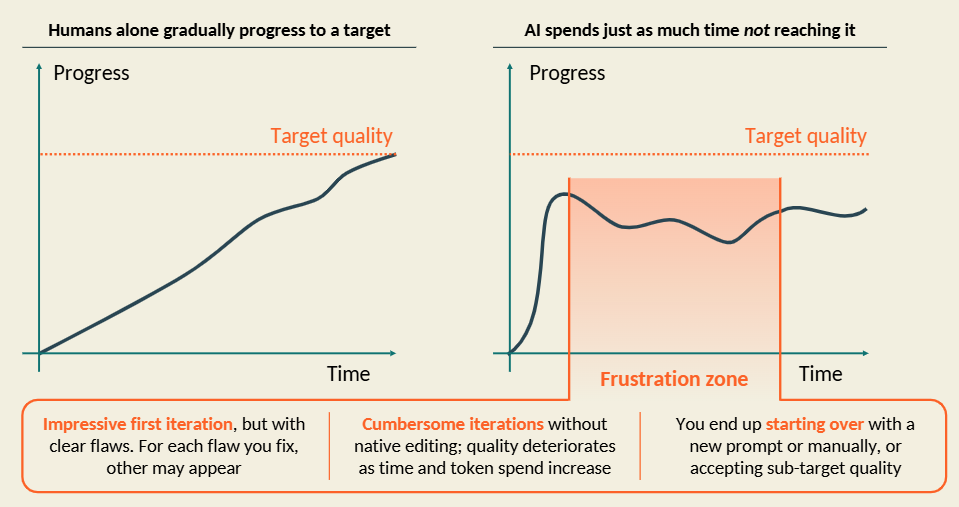
The problem is that many AI slide tools treat these changes as new creation tasks. As presentations evolve, teams often need to re-prompt, regenerate content, review the output, and manually check that the formatting and message are still correct.
Instead of building on existing work, teams are repeatedly pushed back into the creation process whenever a presentation needs refining.
AI tools struggle when data changes
For teams working with business-critical information, every chart, table and metric needs to reflect the latest data.
The challenge is that most AI slide tools, such as Claude, don't keep presentations connected to the source data. When numbers change, teams need to update charts, tables, and slides manually, or re-prompt the AI and regenerate the presentation to reflect the latest data.
Every update then needs to be reviewed and checked to ensure that everything is accurate.
The result is more manual work, a greater risk of outdated information, and less confidence in the numbers being presented.
Editing output is harder than it should be
A business presentation rarely stays exactly as it was first created. The problem is that not all AI-generated outputs are designed to be worked on afterwards.
Some tools generate static images that cannot be edited. Others create editable slides, but once the presentation needs updating, teams are often back to manually editing PowerPoint objects, adjusting layouts, updating charts, and maintaining consistency across the presentation. As a result, even small edits can become time-consuming.
For AI to be useful, the output needs to remain practical to work with after the first draft is generated. Teams should be able to adjust charts, tables, and slides in an easy way without having to rebuild them from scratch.
The future of AI slide tools
AI slide tools need to focus on helping teams improve their entire presentation workflow, and not just create a first draft.
That means creating charts, tables, and slides directly from source data, keeping outputs easily editable, and making it easy to update content when numbers change.
The most valuable tools won't be the ones that generate slides the fastest. They'll be the ones that help teams spend less time rebuilding presentations and more time communicating insights.