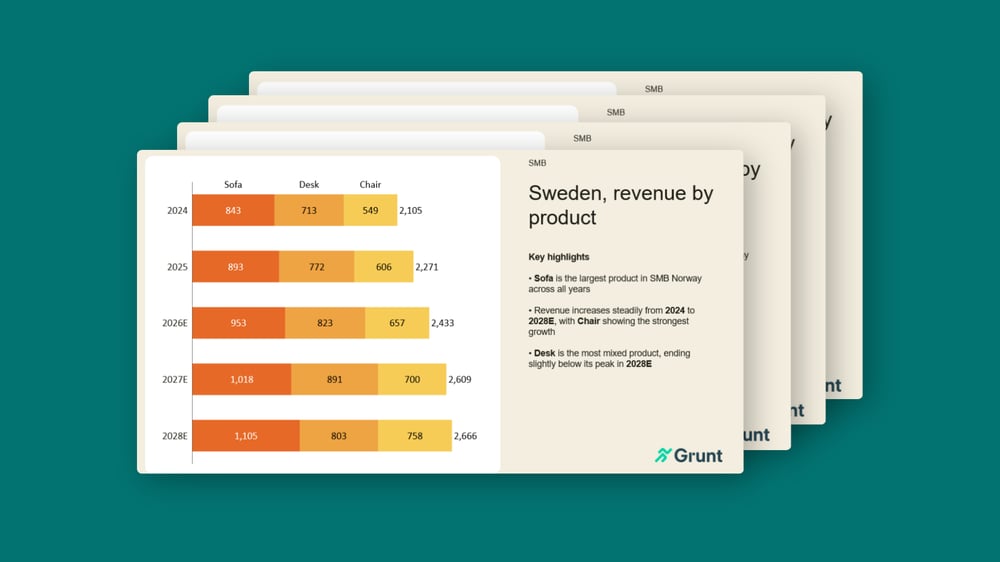

Financial reporting is stressful and time-consuming for many finance teams. You’re on a tight deadline, yet you still spend hours collecting, double-checking, and updating numbers across your financial reports.
When data changes at the last minute, that last 10% of formatting and alignment turns into late nights just to get the deck ready.
Finance teams rely on too many manual tasks
A great report is about more than the final output, it’s about the process that gets you there.
The tech firm Zuora surveyed CFOs, CAOs, and other financial leaders and found that finance teams still rely heavily on manual tasks. In fact, 79% of respondents said their teams are “swamped with manual work.”
Manual workflows don’t scale. They also increase risk, because every copy-paste and last-minute reformatting is another opportunity for a “career-limiting” error to sneak into your report.
Most reporting processes suffer from three recurring issues:
- Routine reporting steals time from analysis. Teams spend hours collecting, double-checking, and updating data, leaving little room for insights.
- Manual steps create errors. Copy-pasting numbers can lead to mistakes that damage credibility, for both the individual and the business.
- Just-in-time workflows burn people out. Internal dependencies and high-pressure handoffs can lead to burned out employees and poor results.
To eliminate these issues, financial teams need to optimize their workflow.
Create a workflow that supports faster iterations
A traditional reporting workflow is linear and fragile. You export data, validate it, copy-paste, and then fix the formatting by hand. If a single number changes, you have to restart the process.
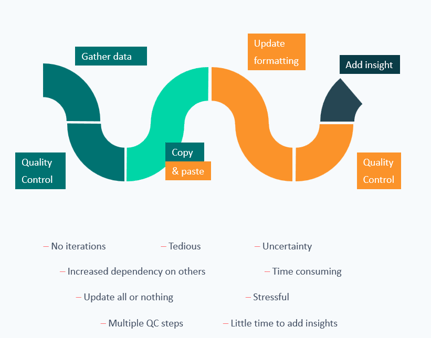
By the time the visuals are done, there’s barely any time left to add the part that actually matters: interpretation.
A more efficient and reliable approach is to build a workflow designed for quick iterations, so updates don’t trigger rework. When the workflow is built for change, your team spends less time, reduces errors, and delivers more value every reporting cycle.
From a linear workflow to a circular one
Financial teams should move from a linear workflow to a circular one.
In a linear workflow you can’t move forward until each step is final, which means late changes force you backward.
In a circular workflow you can keep progressing, even when the numbers are still evolving, because updates flow through the system without breaking everything downstream.
Excel is still a natural step in many reporting workflows, but in a circular setup it supports consistency and reduces manual work instead of creating rework.
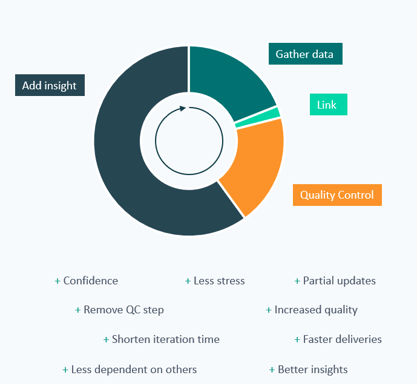
To go from a linear workflow to a circular one, you should:
- Automate data movement
Aim for a workflow where importing your data takes one action, not a multi-step process. Minimize the number of system exports feeding your report, and structure them as close as possible to the final output to reduce manual processing. - Automate the link between Excel and PowerPoint
Copy-pasting from Excel to PowerPoint is one of the biggest hidden failure points in reporting. It’s slow, error-prone, and forces you to manually “audit” your own deck every time numbers move.
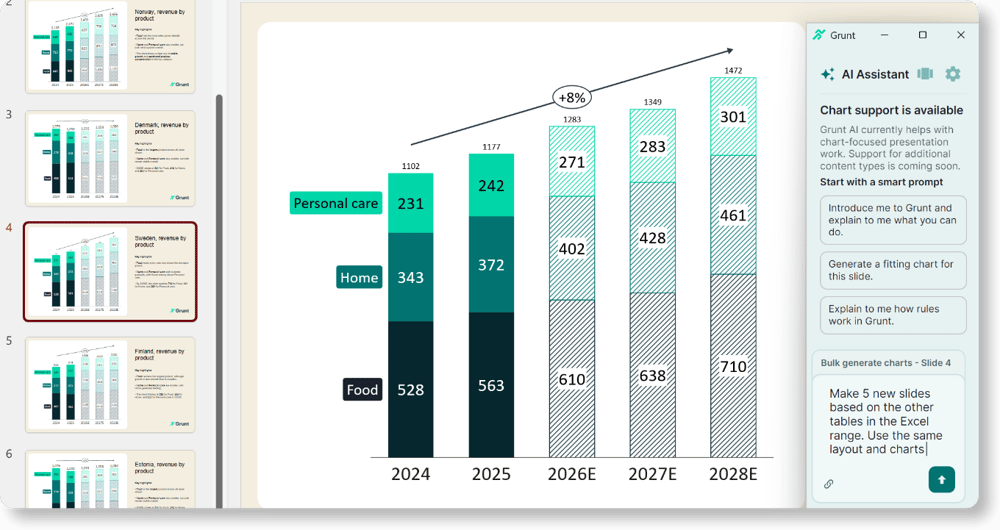
With Grunt’s Excel connection, teams can keep charts and tables connected to source data and update the entire presentation with a single action, reducing manual rework and lowering the risk of inconsistencies. -
Reduce the number of quality control points
When your workflow depends on manual steps, you need extra layers of checking. When your visuals are grounded in trustworthy data connections, you can reduce redundant control loops and spend more effort where it counts.
What we have learned from 100 quarterly reports
By moving from a linear, copy-paste-heavy process to a circular workflow built for fast iterations, finance teams can stop treating every update like a restart. The goal is simple: keep the numbers trustworthy and make changes painless when the data moves.
To help teams get there, we put together a 30-minute masterclass based on lessons from experts who’ve created 100+ quarterly reports. You’ll learn:
- Best practices for visualizing financial data in PowerPoint
- Tools and workflows to cut the time spent on updates