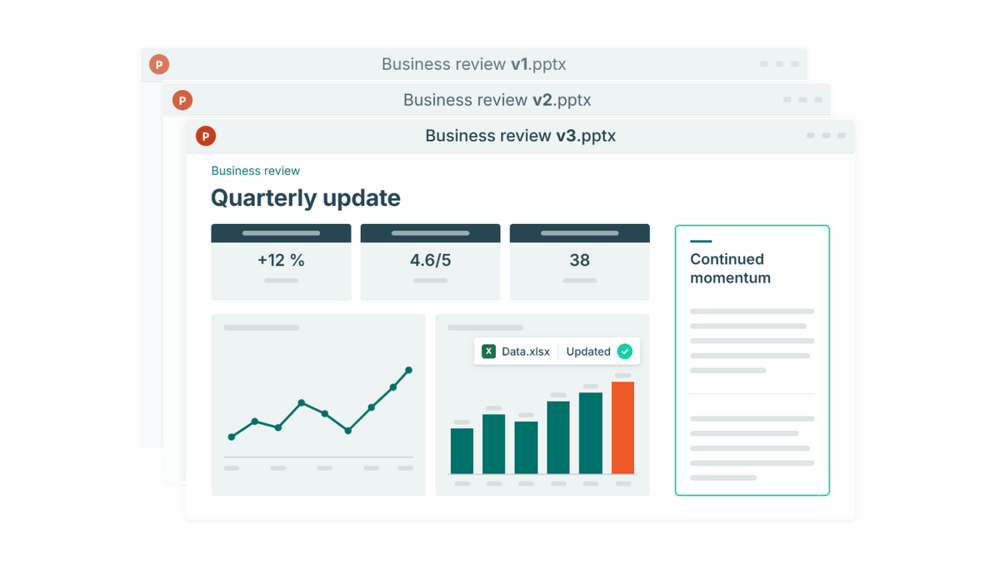
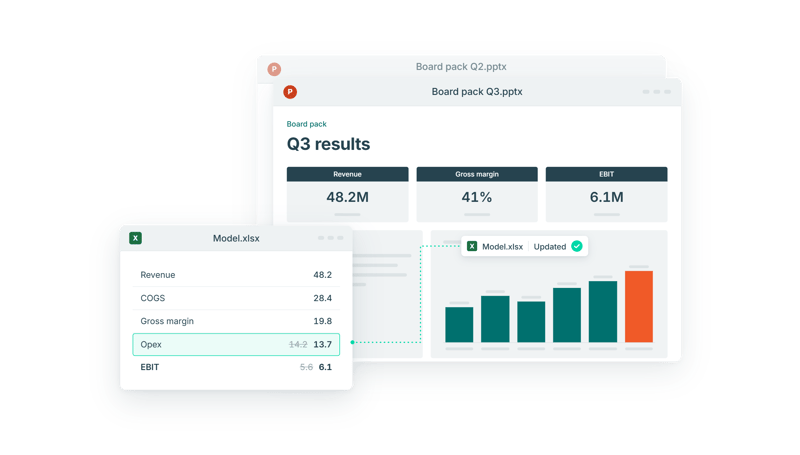
Whether you're preparing a monthly report, a quarterly review or a board presentation, the reporting process often follows the same pattern.
The numbers are ready, the reporting deadline is approaching, and despite investments in systems like ERP, planning software and BI tools, your team still spends hours preparing the report. For many finance teams, this has simply become the accepted way of working. But it doesn't have to be.
The biggest bottleneck in recurring reporting is often not retrieving the numbers, but turning them into clear, accurate reports. That process is still more manual and time-consuming than it needs to be, leaving your team to spend too much time updating charts, formatting slides, and checking numbers.
Why recurring reporting becomes so manual
The reporting process varies from one organization to another, but for many finance teams, data moves from an ERP or planning system into Excel, then into PowerPoint, where the final report is created and reviewed.
The challenge is often not the individual systems, but the lack of connection between them. As data moves from one system to the next, finance teams may need to export and reorganize data, prepare calculations, update charts and tables, format slides and check that the figures in the presentation match the underlying numbers. This creates a largely linear process: data is extracted, prepared and then transferred into PowerPoint to build the report.
When the numbers change late in the process, the updates often need to be made in more than one place. If the presentation isn't connected to the underlying data, the corresponding charts, tables and figures in PowerPoint also need to be updated and checked manually. Every change can therefore create another round of manual work.
The problem becomes more noticeable in recurring reporting because the same manual steps return every month or quarter. A chart that takes a few minutes to update may not seem like much on its own, but when the same process is repeated across multiple charts, slides and reporting cycles, the work quickly adds up.
Picture a late adjustment arriving the day before the board pack is due. The figure changes in the model, but every chart, table and slide that uses it now has to be found, updated and checked again by hand.
This is also where errors creep in. Every manual copy from Excel to PowerPoint is a chance for the deck and the model to stop matching, and a wrong number in front of the board or management costs far more than the time it took to update.
From a linear process to a connected reporting workflow
For many finance teams, Excel is already where data is organized, calculations are made and the numbers used in the report are maintained. By creating a persistent connection between Excel and PowerPoint, charts and tables stay linked to the data in Excel, so the numbers don't have to be copied across manually every reporting cycle.
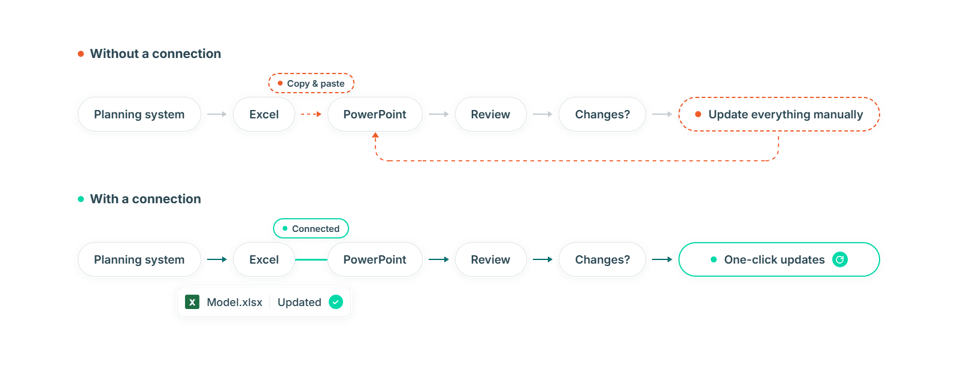
When the numbers change, they're updated in Excel and the connected charts and tables in PowerPoint can be refreshed in one click.
This means that finance teams don't have to wait for every number to be finalized before working on the presentation. They can start building slides while the numbers are still evolving, then refresh the connected charts and tables whenever new data comes in.
Four ways to reduce manual work in each reporting cycle
A more efficient reporting workflow starts with reducing unnecessary manual work between your data sources and the final presentation. The more times data has to be exported, reorganized or manually adjusted, the more work each reporting cycle requires.
A few practical steps make a big difference:
- Bring the numbers into one Excel file. Collect what you need from your source systems in one place, where calculations and reporting data can be maintained consistently.
- Keep a dedicated reporting tab. Let the presentation draw from a tab built for the report, separate from your working calculations, so changes in the model don't disturb the layout.
- Use the same structure every period. When rows, columns and labels stay consistent, updating the report becomes a refresh rather than a rebuild.
- Agree on the version before review. Decide which numbers are final for review, so everyone discusses the same figures.
With these steps in place, your presentation can be connected to one well-structured Excel file, so each new period's charts and tables come straight from the latest agreed numbers.
The goal isn't to automate everything. Commentary, interpretation and recommendations still require human input. By reducing repetitive data movement and presentation updates, finance teams can focus their time on reviewing the numbers, understanding what changed and explaining what it means for the business.
Recurring reports that are easier to update
Recurring reporting doesn't have to require the same repetitive work every month or quarter. Connect your presentation to the data once, and each new period becomes a refresh rather than a rebuild.